3D Array by Table |
  
|
3D Array by Table |
|
Added a new command for creating 3D arrays - Array by Table.
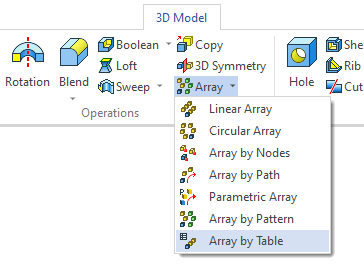
With this command, you can use values from the database as array parameters.
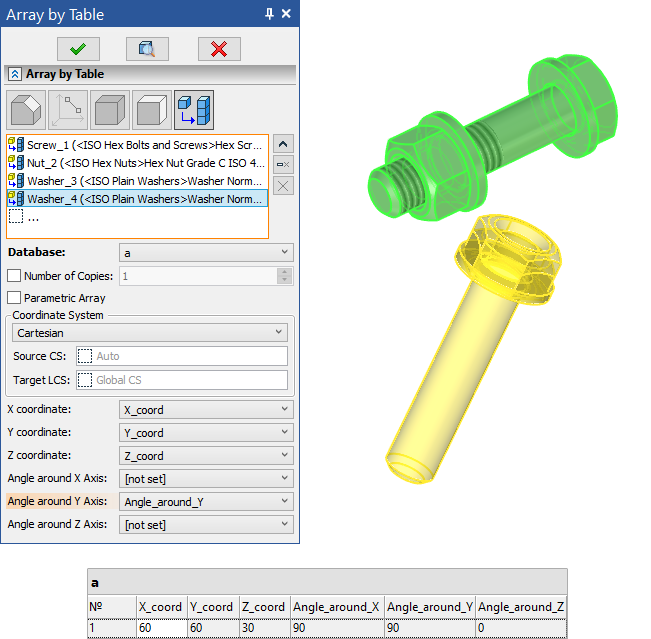
There are 3 types of coordinate systems relative to which you can create an array from a database - Cartesian, Spherical and Cylindrical. When you select the type of coordinate system, a selection of the corresponding parameters appears.
Thus, 6 parameters can be set for a сartesian coordinate system:
•X coordinate
•Y coordinate
•Z coordinate
•Angle around X Axis
•Angle around Y Axis
•Angle around Z Axis
For a spherical coordinate system, 3 parameters can be set:
•Radial Distance
•Polar Angle
•Azimuthal Angle
For a cylindrical coordinate system, 3 parameters can be set:
•Radial Distance
•Azimuthal Angle
•Height
A prerequisite is to specify either the X coordinate or Y.
It is also possible to create a parametric array. For this, a special Parametric Array option has been added.
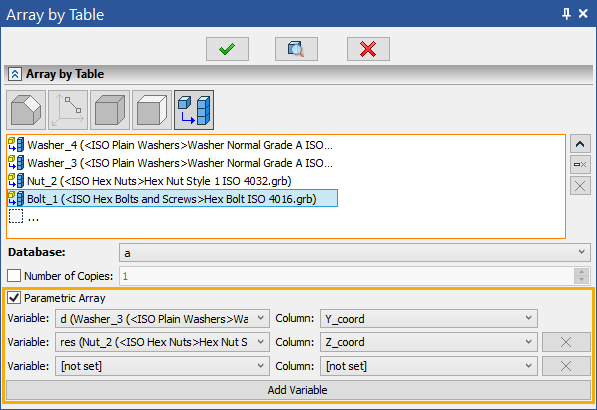
When the button is activated, the Add Variable button appears, which allows you to use the value of any model variable as the value of a database column.