Special Options of Edge Blend |
  
|
Special Options of Edge Blend |
|
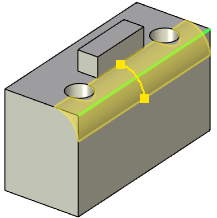
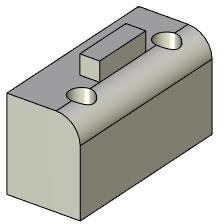
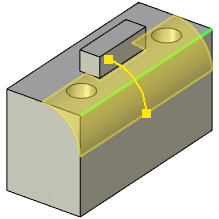
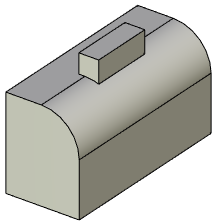
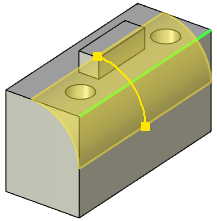
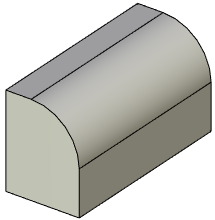
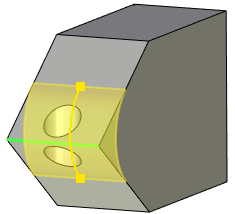
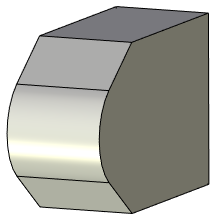
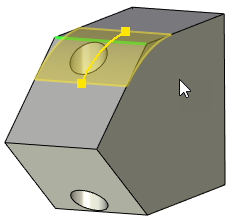
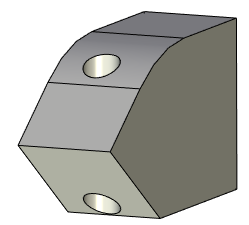
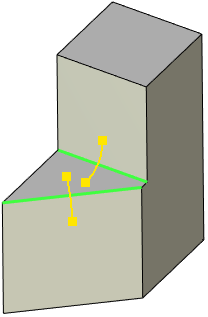
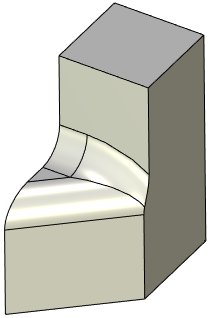
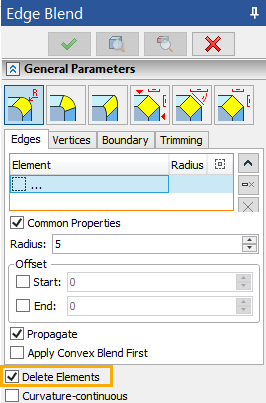
In the cases when blend surface completely overlaps other topological entities, two ways of processing the operation are possible depending on condition of the Delete Elements checkbox. This checkbox is located in the bottom part of the General Parameters tab in the Parameters window (independently of Edges, Vertices, Boundary and Trimming tabs).
If the checkbox is disabled, the system retains all overlapped elements, while trimming or extending blend surface if necessary.
If the checkbox is enabled, the system deletes all overlapped elements, leaving the blend surface only.
|
|
Blend surface |
In result Delete Elements option doesn't delete anything |
|
|
Blend surface fully overlaps blind holes, |
In result Delete Elements deletes holes but does not delete protrusion |
|
|
Blend surface fully overlaps both blind holes and protrusion |
In result Delete Elements |
|
|
Blend surface fully overlaps both ends |
In result Delete Elements deletes hole |
|
|
Blend surface fully overlaps only one end |
In result Delete Elements should be disabled to create a blend. Otherwise the system will throw an error |
Specifying the order of blend creation when blend surfaces overlap on several edges
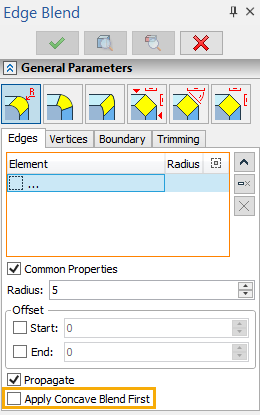
When blend surfaces overlap on several edges of different convexity, it is possible to achieve the desired shape of these surfaces by changing the order of blend creation. The order of blend is determined by the selected priority of the edges processing. By default convex edges are processed first, concave edges - last.
You can change the priority be enabling Apply Concave Blend First checkbox on the Edges tab of the General Parameters tab in the Parameters window.
 +
+
|
|
|
Blended edges |
Blend result if |
Blend result if |
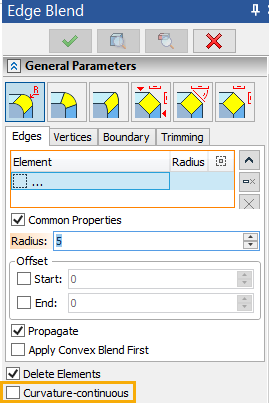
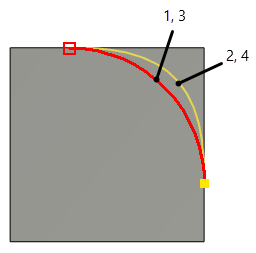
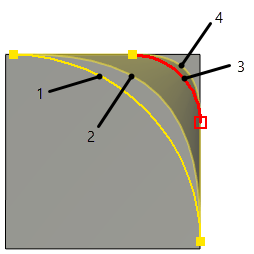
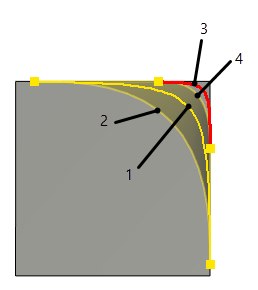
Curvature-continuous checkbox is available in the bottom part of the General Parameters tab in the Parameters window (independently of Edges, Vertices, Boundary and Trimming tabs) for all types of rounding. Enabling this checkbox implements curvature continuity (G2) between resulting blend surface and adjusting faces.
Using this option distorts Radius (for constant-radius and variable-radius rounding) or Offset 1, Offset 2 and Convexity coefficient (Rho) (for variable-elliptical rounding).
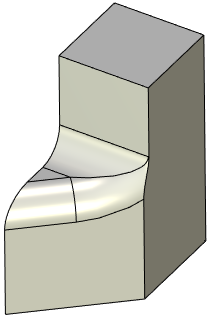
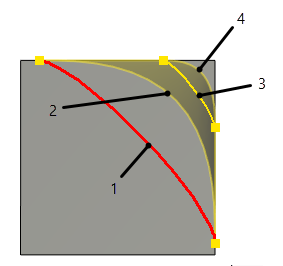
Affect of Curvature-continuous checkbox on different types of rounding: 1 и 2 - Cross-section shape of a blend surface in starting point of the edge 3 и 4 - Cross-section shape of a blend surface in ending point of the edge 1 и 3 - Curvature-continuous checkbox disabled 2 и 4 - Curvature-continuous checkbox enabled |
|
Constant-radius rounding |
|
Variable-radius rounding |
|
Variable-elliptical rounding, Convexity = 0.6 |
|
Variable-elliptical rounding, Convexity = 0.1 |
|
<Num0> |
This option becomes available in the automenu when creating a blend on a fragment in assembly.