T-FLEX CAD 18 - new tools for complex high-tech product high quality design, increased performance, improved interface and hundreds of user proposed innovations
What's New in T-FLEX CAD 18 and Add-on Modules
New T-FLEX CAD version greatly extends functionality demanded in aerospace and automotive industries, such as constructing complex-shape surfaces, beam structures design, molds design, 3D annotations (PMI). New visualization features have been added: unlimited number of custom view points, vertices visualization, mates and degrees of freedom display in 3D window. Photorealistic views generation tools have been improved and expanded.

Interface and Interaction with the System
New standard way of calling nested commands has been implemented. If a command requires selection of some support geometry, then a nested command for creating such support geometry can now be called using buttons located in the right part of the support geometry selection box in the parameters window. Upon finishing the nested command called this way, the system returns to the initial command and automatically selects the created element in the box the nested command was called from.


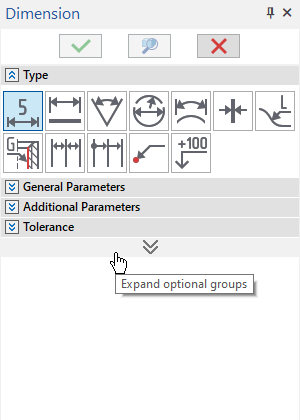
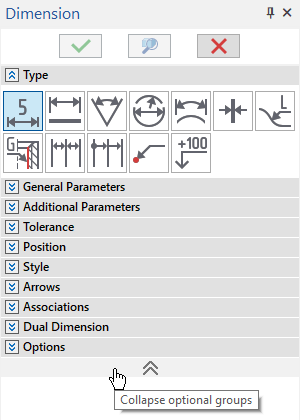
Commands with too many parameters now display only most common sections of the Parameters window by default. The display of other sections is managed using the Expand/Collapse optional groups button. Moreover, for some commands very rarely used parameters are now available in the parameters dialog only.
Icons have been converted to vector format to improve interface visualization, including on high-resolution monitors (2K, 4K, 8K, etc.).

Contextual menus of faces now feature new commands providing quick access to operation that formed this face.

Performance
Performance of work with complex models has been significantly increased. Resource-intense operations, such as creating projections, generating photorealistic views, creating complex geometrical shapes based on many support elements, now require less time to complete.
When 3D fragments in an assembly are loaded as meshes only, you can now specify, whether their solid geometry should be automatically loaded upon selecting them.
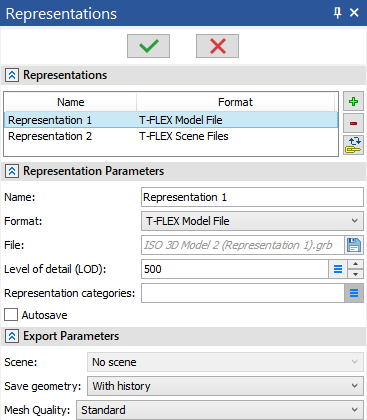
Multiple representations of the same document can now be created. Representations are external files fully or partially containing precise or simplified geometry of a 3D model — either with its full construction history (all operations) or without it (final shape only) — saved in standard T-FLEX CAD document format (.grb), T-FLEX CAD scene format (.tf3d), or various external formats. Representation files are linked with the initial document and can be updated automatically or manually upon editing the initial document.
Various processes, such as solving studies of T-FLEX Analysis and T-FLEX Dynamics applications or toolpath generation and machining simulation in T-FLEX CAM application can now be run in background and managed using the new Background Processes tool window.

Scene
Scene is a new type of 3D model element which stores the information on the nomenclature of displayed 3D model elements and their visualization parameters. Scenes allow to quickly switch between different variants of 3D model appearance. Multiple 3D windows with different scenes can be displayed simultaneously.

Different scenes of the same document
3D Visualization
3D window parameters now feature 3D floor and 3D environment. Elements of various types can now be displayed over bodies. Raster images located on workplanes and 2D elements from drawing pages can now be displayed in 3D window. Mates and degrees of freedom can now be visualized in 3D window. New visual styles have been added for various 3D constructs. Multiple geometric sections can now be applied at the same time.

3D environment

Raster Images in 3D

Mates and degrees of freedom visualization

Vertices displayed over bodies

3D profiles displayed over bodies

Two sections applied at the same time

Drawing page displayed in 3D window
Photorealistic View
Three old photorealistic view generation commands based on different technologies (GPU NVIDIA, CPU, POV-Ray) have been replaced with a single new one based on Cycles technology.
View generation algorithms have been improved, speed and quality of generation have been increased. AMD video cards support has been added.
New photorealistic view parameters have been added. Cameras now feature new parameters affecting focus in photorealistic views.
Photorealistic views can now be generated in background using Photorealistic Image Queue.

New ribbon tab Photorealistic View contains the photorealistic view creation command and various other commands, that allow to set desired visualization parameters of 3D model before generating a photorealistic view.

Default Parameters and Parameter Sets
The dialog of the Default Parameters command has been replaced with the new one, which provides extended parameters management capabilities using the new parameters application mechanics. User can create custom styles and parameter sets and export/import them via external xml-file, which allows transferring parameters between documents and workplaces, including centralized parameters management within the whole company. Imported parameters may either be applied to particular elements or set as defaults for all new elements of corresponding type.

Isolation of 3D Elements
3D elements can now be isolated, i.e. replaced by non-associative elements of the same geometry without creation history.

2D Drawing
Interface of all Sketch commands has been reworked for better convenience. New types of slots, fillets and chamfers have been added. Sketch point is no longer a free 2D node - it is a separate type of element now.
Document parameters now feature thicknesses of more line types. Names of graphic lines now depend on their type of geometry: line (straight), circle, circular arc, ellipse, elliptical arc, spline.
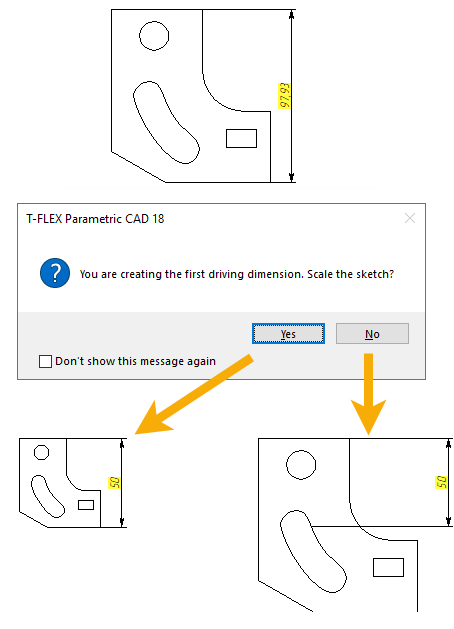
Upon creating a first driving dimension for a sketch, if the value of the dimension is different from the actual size of the measured elements, the system now asks whether you want to scale the sketch.
Constraints commands have been updated. New type of constraint has been added, which makes values of two driving dimensions equal to each other.
Icons of constraints now dynamically disappear/appear, when their size on the screen becomes smaller/bigger than the value set in system options, as a result of zooming the camera out/in.
Degrees of freedom can now be shown for sketch elements, as arrows representing possible movement directions of element's key points and possible changes in radius of circles\arcs.
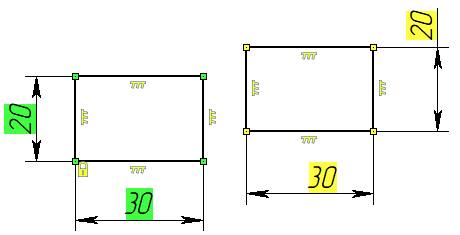
If there are multiple contours on the same page, the system now calculates degrees of freedom separately for each contour, so the color highlighting driving dimensions and coincidence constraints now indicates the status of the particular color, instead of the whole drawing.
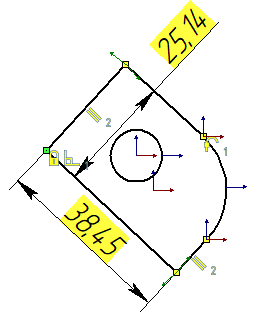
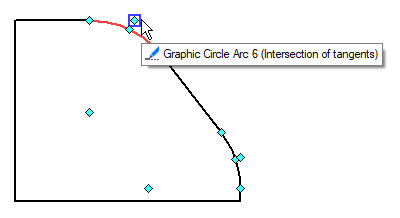
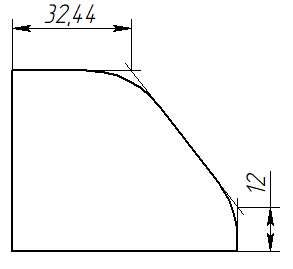
Snapping to intersection of tangents of a fillet is now available for 2D elements. When snapping a dimension to such intersection, extension lines are added automatically.
View designations creation command (Section) has been updated. Now it allows to create designations of detailed views.
2D Projection command now features new elements selection interface and allows to automatically put lines of different types on different layers.
3D Constructs and Support Geometry
Multiple workplanes orthogonal to curve or between two planes can now be created at once.
New type of 3D node has been added: 3D Node by Extremums.
3D LCS command now provides various methods of coordinate systems creation similar to 3D nodes.
The "3D Path" term has been replaced by "3D Curve" in T-FLEX CAD 18 interface and documentation. Existing 3D curves (paths) creation and editing commands have been overhauled, their capabilities have been extended. Nomenclature of 3D curve types has been revised with the addition of new types: 3D Line, 3D Arc, 3D Curve by Surface. Each of the new types has various creation methods.
New type of 3D profile has been added: 3D Profile by Section.
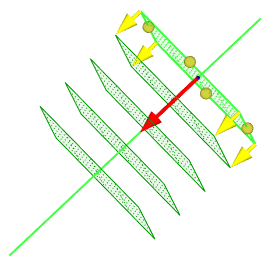
Array of Workplanes Orthogonal to Curve
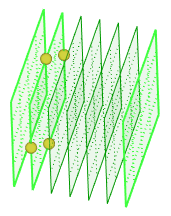
Array of Workplanes between Two Parallel Planes
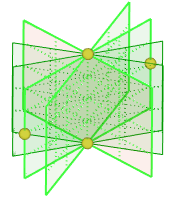
Array of Workplanes between Two Non-Parallel Planes
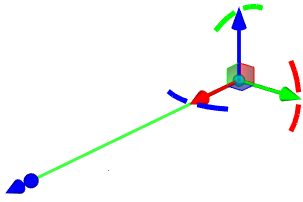
3D Line by Direction
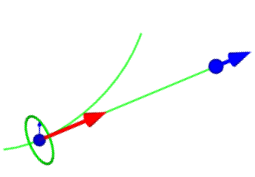
3D Line by Curve
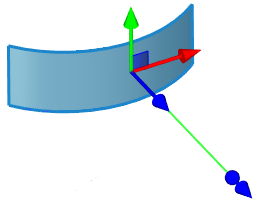
3D Line by Surface
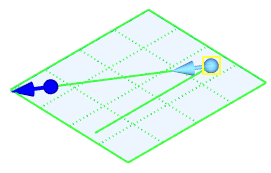
3D Line at Angle
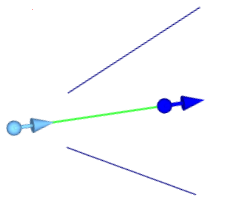
Bisector 3D Line
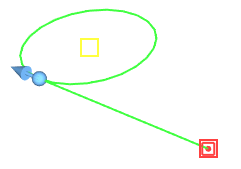
Tangent 3D Line
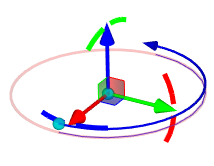
3D Arc by Center
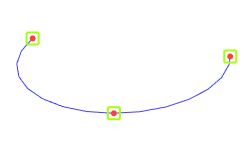
3D Arc by Points
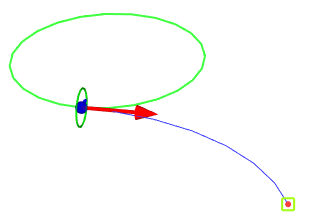
3D Arc by Point and Curve
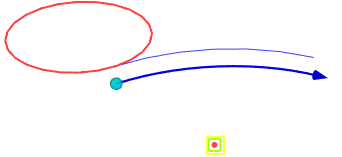
3D Arc by Center and Curve
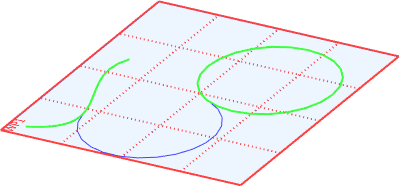
3D Arc by Curves
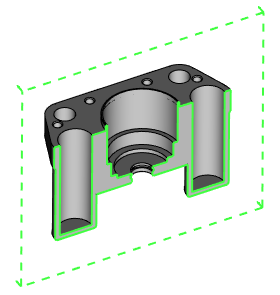
3D Profile by Section
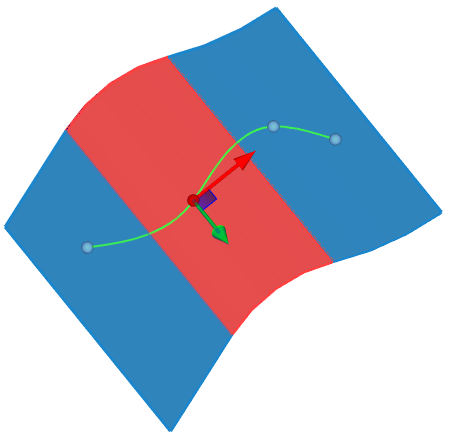
3D Curve by Surface

Isoclinic mode of Outline 3D Curve
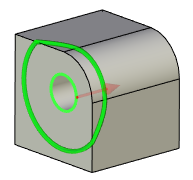
Offset 3D Curve formed by offsetting an edge along all faces of its parent body
Solid, Surface and Hybrid 3D Modeling
The system now supports work with mesh and hybrid bodies. Mesh bodies can be obtained via import, or as a result of some specific operations. Then you can apply generic 3D modeling operations to mesh bodies in the same way as to solid and surface bodies. In result, you will get hybrid bodies, i.e. bodies some of whose faces are meshed and some analytic.
Mesh and hybrid bodies can be fully used in the same way as solid and surface ones (in projections, in measurements and geometric analysis, in T-FLEX CAM projects, etc.)
New solid, surface and hybrid 3D modeling commands have been developed: Bounding Body, Bounding Body with Trimming, Undercut, Loft with Trajectory, Mesh to Body, External Shell, Swept Volume, Heal Surface, Reverse Normal, Mid-Surface, Divide into Surfaces by Faces, Deform Surface, Smoothing Surface, Approximating Surface.
Transition Surface command has been replaced with the new Section Surface command featuring wide variety of methods for creating a surface by dragging a section of a specified shape along selected guides
Sweep, Thread, Extend Faces commands have been reworked and received various new features.
Interface of many other commands has been updated and unified, many new options have been added.

Bounding Body

Bounding Body with Trimming

Loft with Trajectory

Mesh to Body

Undercut
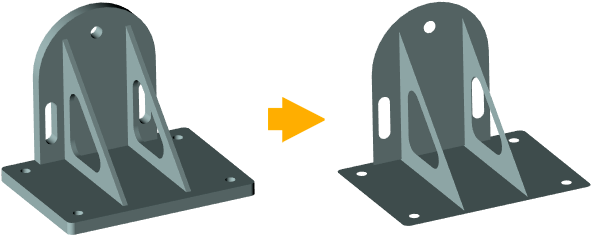
Mid-Surface

Swept Volume

Smoothing Surface

Heal Surface

Section Surface with different section types: Conic Curve, Circle, Line, Contour

Deform Surface
Molds Design
The system now features new special molds design commands: Parting Surface and Mold Regions.
Model Separation Check capabilities have been extended.


Assembly Structure Generator
Structure Generator is a new command, which provides tools for quick 3D assembly structure template generation and editing. Template describes the set of fragments to be included into assembly, their hierarchy, prototypes, naming rules for fragment files and corresponding product composition items. When creating an assembly using a template, reference elements can be automatically imported from the current document into resulting fragments.

Annotations and Drawing Layout Elements
New Annotations tab has been added to the ribbon. The content of the tab depends on the active window: beside common commands there are some types of annotations, which can be created only in 3D or only in 2D.

Annotations tab for 2D window (Style and Additional groups of commands are omitted on the screenshot)

Annotations tab for 3D window (Style and Additional groups of commands are omitted on the screenshot)
Interface of all annotation commands has been updated, new features have been added. All 3D annotations now have unified orientation controls. 3D annotations may now be External similar to 3D constructs. New parameters for managing default absolute font sizes of annotations and view designations, as well as relative font sizes of indexes, fractions and radicals have been added to Document Parameters.
Elements to be associated with a 3D annotation can now be selected. These elements are linked with the annotation, but are not used for its snapping. Thus it is possible, for example, to place a roughness symbol on one of the faces and associate it with all other faces of the same roughness, or to associate a typical dimension with all elements it is applicable to.
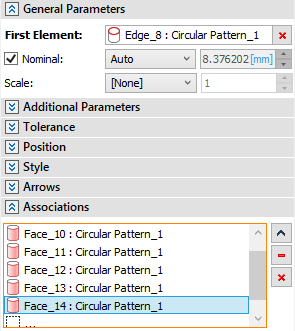

Associations used for holes’ dimension designation
3D annotations can now be snapped not only to actual elements of the model, but also to lines and vertices formed by intersection of bodies with section planes.
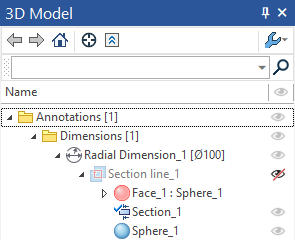
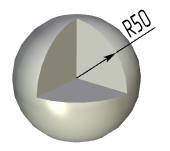
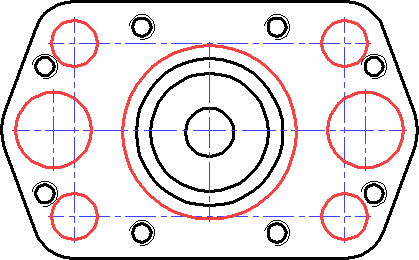
Two old 2D axes creation commands have been replaced by a single new one with extended capabilities. Old 3D axes creation command has been replaced by a new one unified with the 2D version. It is no longer based on 3D curves (paths) mechanism. Axes created by the new command are not 3D curves; they are now considered 3D annotations. New 2D and 3D axes creation commands allow to create interrelated sets of axes of multiple elements as a single operation (Linear Center Mark, Circular Center Mark).

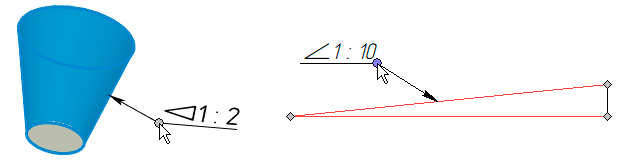
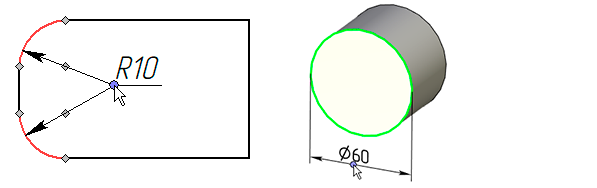
Dimension command has been completely reworked. New types of dimension have been added, new options are now available for old types.
Tolerance selection dialog for hole/shaft system has been reworked.

Datum and Feature Control Frame are now separate commands independent of each other.
New toolbars allow to quickly edit parameters of dimensions and GD&T symbols.
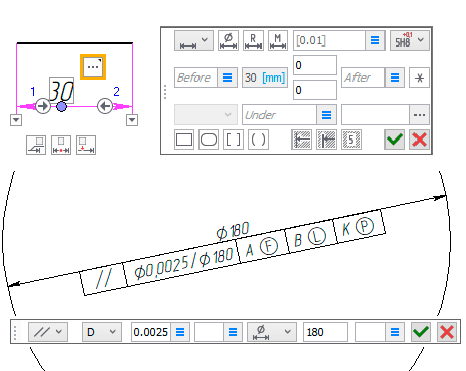
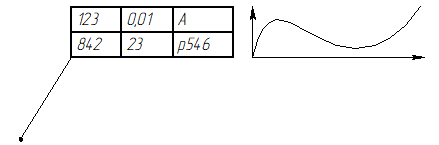
Leader Note command now supports multiple types of leader notes. Different types have different shape and content of a shoulder. Note by Page displays content of a selected page of the current drawing scaled to the desired size.
New Auto-resize Annotations command available in the View toolbar enables/disables the alternative annotations display mode, in which size of font and arrows of annotations is maintained in relation to the screen size and doesn't depend on zooming the camera in or out.
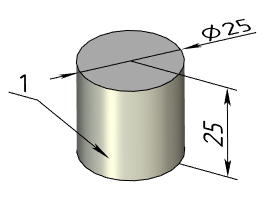
Actual size
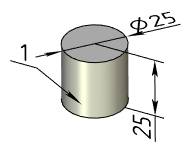
Zooming the camera out with Auto-resizing
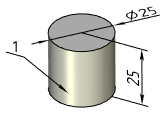
Zooming the camera out without Auto-resizing
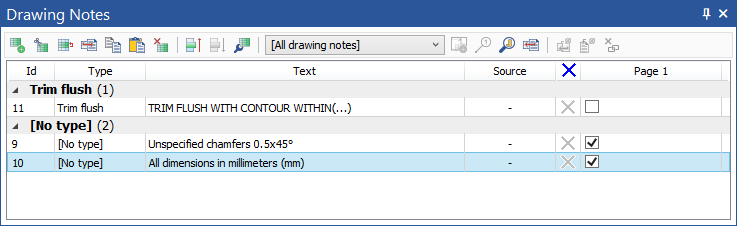
Drawing notes mechanism has been completely reworked. Each note is now a separate element of the document. The nomenclature of document drawing notes is now managed using a new tool window - Drawing Notes. It provides various tools for textual notes creation and editing, as well as placing them on pages. Notes placed on pages are synchronized with document notes, so editing them in one place results in changes all over the document.
Hole Table now has more layout and designation options. More types of holes can now be taken into account. Instead of listing all holes, the table may now feature only selected ones.
Sheet Metal
Bends and unbends now support curved baselines. Continuous flange option allows to create a united flange without corner reliefs along a baseline formed by sequence of smoothly connected edges. Flange sides inclination can now be set by applying transformations within the flange plane to upper corner points.

Composite Materials
Composite Materials are now supported in T-FLEX CAD and their structure is taken into account in T-FLEX Analysis studies.

Procedural Material Textures
Procedural material textures are now supported: Paint metallic, Fabric, Glass.

Measurements and Geometry Analysis
Old Measure command now supports more cases and allows to create geometry by measurement results.
New Screen Measurements command can be used for measuring distances and angles in a plane parallel to screen plane by points in 3D or 2D window.
Unified colors scale mechanism has been implemented for all geometry analysis commands.

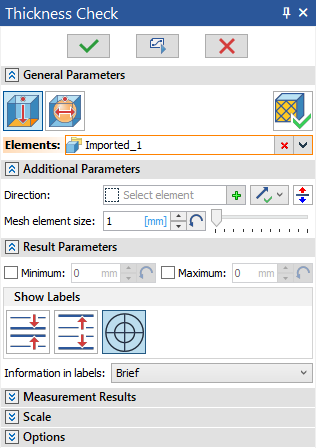
New Thickness Check command has been added.

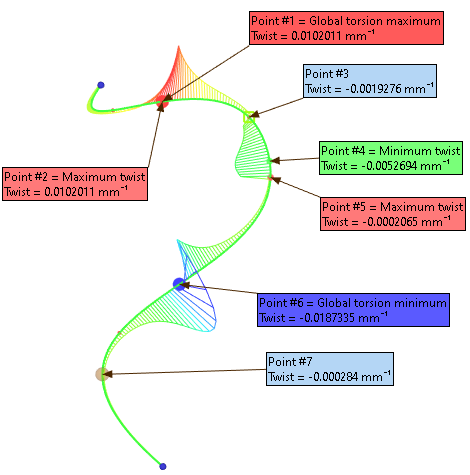
Gaps and Intersections Check (former Intersections Check) and Curve Analysis (former Curve Curvature) commands have been reworked with the addition of new analysis modes, results viewing tools and other features.

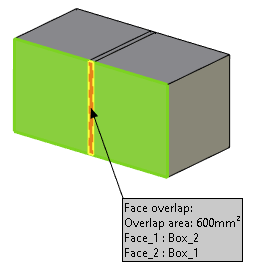
Deviation Control command now has new modes: Face Stitchability and Face Overlap.

Exploded View Scenario
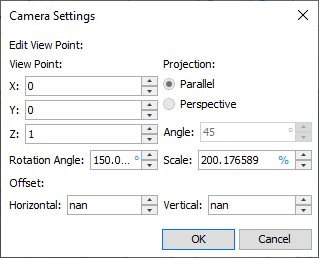
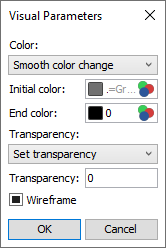
Exploded View Scenario now allows to dynamically change view points and visual parameters of elements. 3D curves can be created by trajectories of elements in a scenario. When recording animation of an exploded view, video frames can now be saved as separate raster images.


Connections
Connections module provides tools for automated placement of fasteners, drilling fastening holes, placement of welding and gluing points, including on complex curved surfaces (for example, in joints of airframe elements).


T-FLEX Analysis
Materials management tools have been improved, Plastic material behavior support has been implemented, new material models have been added for Hyperelastic behavior.
Material Orientation (former Material Coordinate System) and Mesh commands have undergone a significant overhaul.
New commands have been developed for mesh quality analysis: Mesh Check and Select Mesh Regions.
Spring boundary condition has been added.

Spring boundary condition in wheel pairs
New Find Contacts command allows automated contact pairs assignment. Structural Joint contacts of several types have been implemented for connecting beam objects.
New Analysis Model command omits geometry that is not included into the current study.
Interfaces of most other commands have been updated and supplemented by new options.
Solver algorithms have been improved for more precise results and faster calculations.
Result parameters management tools have been completely reworked. Abilities to combine multiple results in the same window or compare them in separate windows have been implemented. Triaxiality, elastic strain intensity, normal and shear stresses results have been added for static strength studies; effective masses result has been added for frequency studies. Local Result tool has been added to postprocessor. Different tools of animating various processes (deformed states, time processes, etc.) have been replaced by the unified Animate Processes command. External results storage mechanism has been improved, so the results can now be viewed without the original task data.

Two results combined in the same window
Reports can now be output in PDF format.
Capabilities of integration with external CAE systems have been extended.
T-FLEX Machinery
T-FLEX Machinery 18 application is a further development of the T-FLEX Gears 17 application which expands its capabilities beyond gears and gearing design to various other mechanical components. New commands have been added in T-FLEX Machinery 18:


T-FLEX Nesting
New calculation algorithm provides better performance and higher material utilization.

Old algorithm, 213 parts placed,
2:09 time spent, material utilization 0.7668

New algorithm, 222 parts placed,
1:15 time spent, material utilization 0.7992
Parts placement priorities and new true-shape nesting parameters have been added.
